

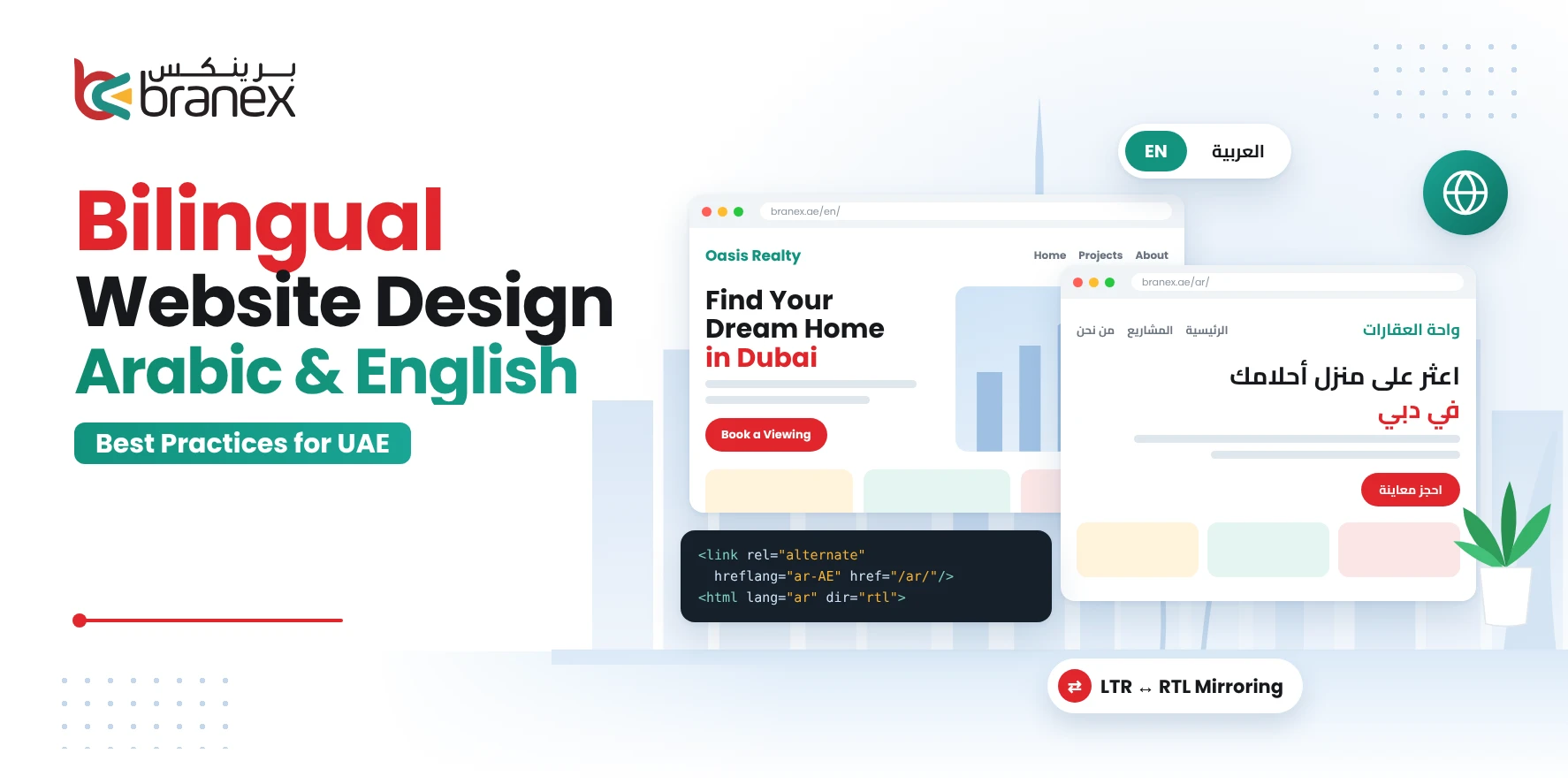
People buy from brands that speak their language. In the UAE, that often means Arabic, which is why choosing the right web design agency Dubai businesses trust matters more than ever.
Arabic reads right to left. If a local visitor lands on a site with the menu on the wrong side and headlines that sound machine-translated, they leave. They don’t wait around to see if the rest gets better.
For any web design agency Dubai clients hire, a bilingual site is more than a language switcher. The two languages read in opposite directions.
They need different wording. People search differently in each one. And the technical setup behind the scenes decides whether either version ever shows up on Google.
But not every web design agency Dubai companies hire can build a website that truly aligns with both audiences.
Key Takeaways
- A bilingual website builds trust, widens your reach and opens less crowded Arabic search results.
- Arabic is not a mirrored copy of English: typography, numbers, forms and icons all need their own rules.
- Plan RTL layouts during wireframing, localise copy instead of translating it, and test both languages on mobile.
- Separate URLs, correct hreflang tags and separate keyword research are essential for bilingual SEO.
- An experienced web design agency Dubai team designs both versions together from day one.
Let’s look at what actually changes between English and Arabic, and how to set up a website that works for both.
Table of Contents
Why Bilingual Website Design Matters in the UAE
A bilingual site pays off in three places: trust, reach and enquiries.
- Trust. When people read your site in their own language, they connect. There is no need to decode anything. They don’t wonder whether the company understands them. A visitor who hits half-translated copy often goes straight back to the search results and clicks a competitor.
- Reach. Plenty of customers search in Arabic. If your site only exists in English, you’re invisible to them. They won’t even find a bad version of your site.
- Less competition. Many businesses never invest in a proper Arabic site. That means Arabic search results can be less crowded than English ones. A well-built Arabic version gives you a better shot at ranking.
“If you talk to a man in a language he understands, that goes to his head. If you talk to him in his language, that goes to his heart.”
— Nelson Mandela
There’s a difference between a bilingual site and a translated one.
For a web design agency Dubai brands trust, the difference is clear. A translated site is the English pages run through a tool, or checked quickly by someone who happens to speak Arabic. A bilingual site has Arabic pages that were written, designed and tested around Arabic reading patterns.
Businesses that treat Arabic as a full version of the site tend to get more calls, form fills and repeat visits. A good web design agency Dubai brands work with will lay out an Arabic website that is not simply a translated version of the English one.
Looking for a Professional Bilingual Website?
Get in touch with our expert team to create an Arabic-English website that feels natural in both languages.
Arabic vs English Website Design: Key Differences
Ask any web design agency Dubai team and they’ll tell you: quite a lot changes. Arabic is written right to left, and that one fact ripples through the whole interface.
| Design element | English website | Arabic website |
|---|---|---|
| Reading direction | Left to right (LTR) | Right to left (RTL) |
| Navigation | Starts on the left | Starts on the right |
| Typography | Latin fonts | Arabic fonts with more line height |
| Forms | LTR fields | RTL fields, with special handling for emails and phone numbers |
| Icons and arrows | Point the LTR way | Directional ones may need to flip |
| Content | Written for English readers | Written for Arabic readers |
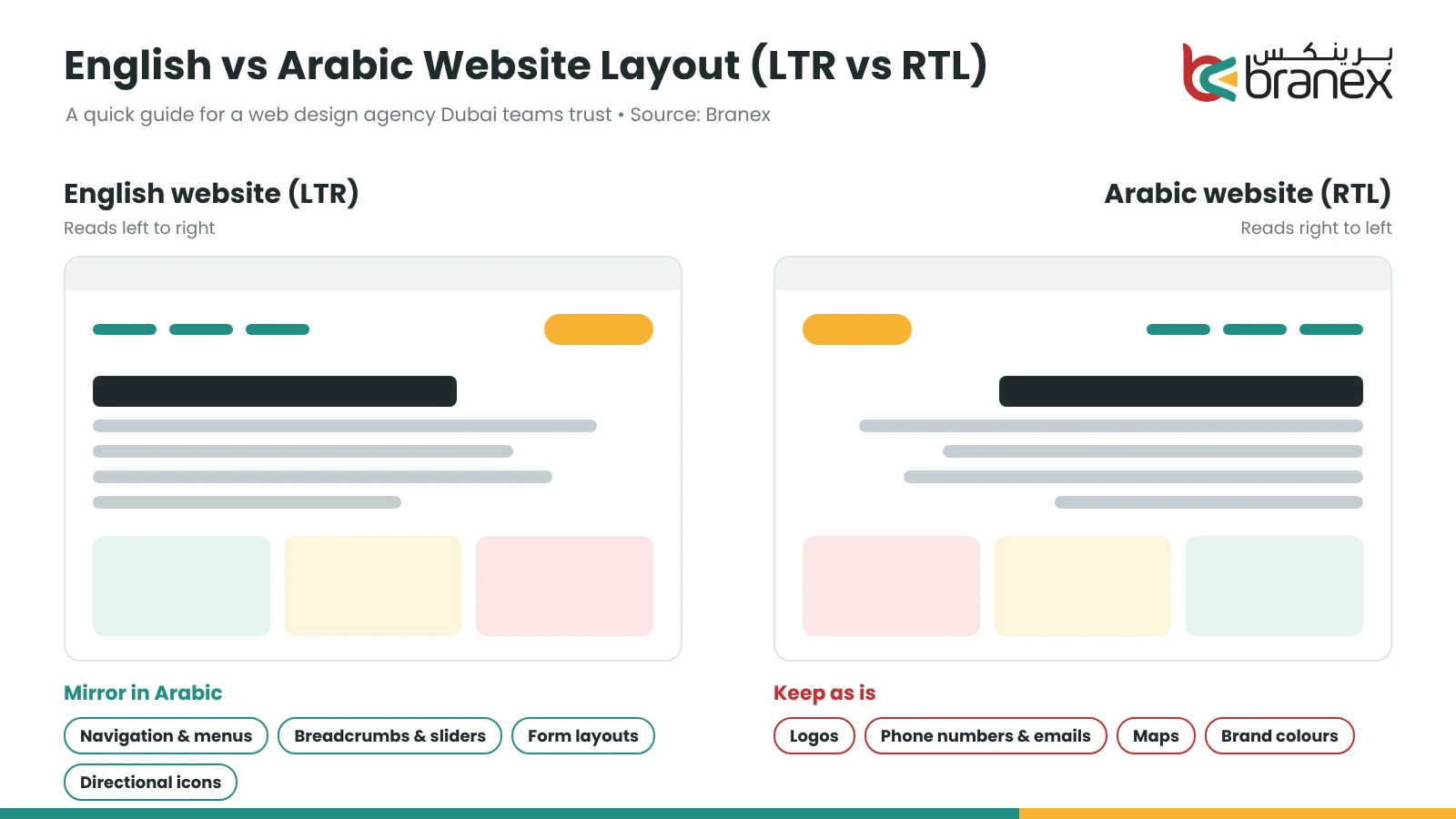
Let’s go through the details people tend to miss.
Typography: Arabic letters connect, and each letter changes shape depending on where it sits in a word. A font that looks great in English can fall apart in Arabic. Arabic also needs more vertical room. Lines set too tight look crowded and are hard to read.
Mirroring: Many things should flip. Your menu, breadcrumbs, sliders, progress bars and form layouts all follow the reading direction. But not everything should flip. Logos keep their original orientation. Phone numbers stay left to right. Maps stay the way they are. Flipping them would confuse people or break the meaning.
Numbers: Arabic text can use Western digits (1, 2, 3) or Eastern Arabic digits (١، ٢، ٣). Both are understood. Pick one approach and stay consistent across prices, dates and phone numbers. Mixing them on the same page looks sloppy.
Content: This is the big one. Arabic copy should be written for Arabic readers, not carried over from English. We’ll get to that in the best practices below.
“The details are not the details. They make the design.”
— Charles Eames
An experienced web design agency Dubai team catches these details during wireframing. Found later, they turn into costly fixes.
7 Best Practices for an Arabic-English Bilingual Website
These are the practices a professional web design agency Dubai businesses rely on follows for every bilingual build.
1. Plan the RTL Layout Early
RTL touches navigation, page alignment, breadcrumbs, menus, forms, tables and icons. If Arabic is an afterthought, those parts feel off.
A web design agency Dubai professionals run will sketch both versions side by side during wireframing. Problems show up early this way. A hero image that only works with text on the left is a real example: in Arabic, the text sits on the right, and the image ends up covering it.
Fixing RTL after launching an English site always costs more time and effort. You end up reworking components that were built on LTR assumptions.
Developers can save a lot of pain by setting the direction at the page level:
<html lang="ar" dir="rtl">Then use logical CSS properties (such as margin-inline-start instead of margin-left), so spacing flips automatically with the language.
2. Use Arabic Typography That’s Easy to Read
Pick Arabic web fonts that display clearly on both desktop and mobile. Google Fonts has several Arabic families built for screens, such as Cairo, Tajawal and Noto Sans Arabic.
Whatever you choose, your web design agency Dubai partner should test it properly.
Look at font size, line height, paragraph spacing and heading weight. They all behave differently from Latin text. A bold, confident look in English may seem heavy and blocky in Arabic. Arabic text is generally easier to read when it is slightly larger and has more line height.
Look closely at mixed text. An English word inside an Arabic sentence can disturb punctuation or the flow of the sentence. The same applies to product codes, prices and email addresses in the middle of a paragraph. Test headings, buttons and product descriptions with both scripts together.
3. Localise the Website for Your Audience
Translation swaps words. Localisation adapts the message so it resonates with the audience it is intended for. The outcomes can be quite different, particularly for headlines and calls to action.
A punchy English headline translated literally into Arabic often sounds flat or odd. A good Arabic writer keeps the idea but changes the words, the rhythm and sometimes the example.
With your web design agency Dubai team, tune your headlines, service descriptions, CTAs, examples and terminology to the market. Use professional Arabic writers or qualified reviewers who understand your industry. The terminology on a real estate page is completely different from a medical page, and a general translator can easily miss it.
Tone matters too. Most businesses use Modern Standard Arabic (MSA), which is clear and formal. Others choose a lighter, more local voice for social media and ads.
4. Keep Language Switching Simple and Predictable
Place the language switcher in a consistent, easily accessible location, typically the header. Label it with “English” and “العربية”, each in its own script. No one should be left guessing what the button does.
When the language changes, take the user to the same page in the new language, not the homepage. Nothing frustrates visitors more than losing their place. If they were on the pricing page, the Arabic pricing page should appear.
Be careful with automatic redirects. Detecting a visitor’s location or browser language and forcing one version on them can backfire. Many people in the UAE browse in a language other than the one their device is set to.
Someone could use a phone set to English but prefer to read in Arabic. Offer an obvious choice and remember it for future visits.
5. Design for Mobile in Both Languages
Any web design agency Dubai brands hire should remember that most UAE visitors will view your site on a phone, so test both versions on various screens.
Inspect RTL navigation bars, drop-downs, buttons, forms and sticky headers. These are the areas where Arabic layouts tend to fail. A hamburger menu that slides in from the wrong side, or a menu that drops off the screen, frustrates visitors.
Don’t let Arabic text overflow cards, image overlays or narrow columns. Tap targets must remain large enough for thumbs.
Speed is just as important. Arabic fonts can be heavy, so font subsetting (loading only the characters you use) makes a difference. So do optimised images and light scripts. If the design is perfect but the Arabic page is slow, visitors will never see it.
Read more: Why Brands Need Responsive Web Design
6. Keep Forms and User Journeys Consistent
Bilingual sites often lose leads quietly through forms, which is why a careful web design agency Dubai team tests them early. Test Arabic names, addresses, phone numbers and email addresses. If a field is not configured correctly, an email address typed into an RTL field can appear scrambled. Email addresses and phone numbers should usually stay left-to-right, even on an Arabic page.
Make sure date formats, currency display, validation messages and confirmation emails are clear to users. If a customer chooses Arabic, the entire journey should remain in Arabic: button text, error messages and the “thank you” email.
For ecommerce, run product filters, carts, payment steps and order notifications in both languages. A single English error message in the middle of an Arabic checkout feels like a significant lapse to the customer.
7. Keep One Brand, Not One Identical Layout
Colour, imagery, logo, tone and overall visual identity should feel the same in both languages. Content blocks, headings, buttons and spacing, however, should adapt to the needs of each language.
Don’t let the Arabic version become a lesser version. If pages are missing, content is outdated or features are reduced, Arabic-speaking customers notice. They conclude they are not important.
The aim isn’t two mechanically identical interfaces; it’s one consistent brand experience.
Want a Team That Plans Both Versions Together From Day One?
Our bilingual designers and developers build Arabic and English experiences side by side.
How to Optimise a Bilingual Website for SEO in the UAE
Plenty of guides stop at visual design. But for a bilingual site to bring in leads, the technical and content choices matter just as much. This is where a specialist web design agency Dubai team adds real value.
Use Separate URLs for Each Language
Give Arabic and English their own indexable URLs, such as /en/ and /ar/. Search engines need a distinct address for each version so they can crawl and rank it.
Avoid JavaScript-only language switches that change the text without changing the URL. Google then sees one page, and one or both versions can get lost.
Connect the matching pages to each other, so users and search engines can tell they’re the same content in two languages. Each page should also have a canonical tag that points to itself, not to the other language.
Set Up Hreflang Correctly
Hreflang tells Google which language and region a page is for. For the UAE, that usually means en-AE and ar-AE. Each page points to its counterpart and to itself. Google explains the full setup in its guide to localised versions of your pages.
A basic setup looks like this:
<link rel="alternate" hreflang="en-AE" href="https://example.com/en/" /> <link rel="alternate" hreflang="ar-AE" href="https://example.com/ar/" /> <link rel="alternate" hreflang="x-default" href="https://example.com/" />The x-default line tells Google which version to show when neither language matches the visitor.
Errors here are common. A missing return tag, where page A points to page B but B doesn’t point back, can invalidate the whole setup. Be realistic about what hreflang does: it supports language targeting, but it doesn’t guarantee rankings.
Research Arabic and English Keywords Separately
Don’t translate English keywords word for word and assume they match Arabic search intent. People often phrase the same need very differently in each language.
Research the real terms customers use for your services, products and locations. Account for spelling variations, different ways of describing the same service, and location-specific searches across Dubai, Abu Dhabi and the other emirates.
Optimise On-Page Elements in Both Languages
A good web design agency Dubai team will write unique page titles, meta descriptions, headings, image alt text and internal links for each version. Keep Arabic metadata natural and relevant. Don’t just paste in the English phrases.
Use the correct lang and dir attributes in your markup. Keep business details, like your name, address and phone number, consistent across local listings and contact pages. Search engines reward that consistency.
Also think about URL slugs. Many sites keep English slugs on both versions. Arabic slugs are possible, but they turn into long encoded strings when copied. Pick one approach, apply it everywhere, and make sure every Arabic page has a working, readable link.
Read more: On-Page SEO: How to Rank Higher on Google
At Branex, we offer cutting-edge expertise with flawless custom web development services and WordPress development. Get in touch to get yours!
What to Avoid in Arabic-English Website Design
A few issues come up again and again, even with an experienced web design agency Dubai partner. Every one of them can hurt usability, search visibility or both.
- Translating without localising. The Arabic is grammatically correct but sounds stiff. Native readers notice immediately. Rewrite the message naturally, using the examples and terms they use.
- Treating RTL as text alignment. Right-aligning text is not RTL design. Menus, breadcrumbs, sliders, form layouts and arrows must flip too. When only the text moves, the page looks broken.
- Using a single URL for two languages. If a button switches the language on the same URL, Google sees one page. The Arabic version probably won’t be indexed or ranked, and it can’t be shared or bookmarked.
- Leaving Arabic pages incomplete. Old offers, missing pages or forms still in English are a clear sign that Arabic users don’t matter to you. They won’t find it easy to trust you.
- Testing on desktop only. What works on a laptop often breaks on a phone. Arabic menus, dropdowns and forms frequently fail on small screens.
- Skipping updates. You add a product or change a price in English and forget the Arabic. Now the two versions say different things. Every change must be published in both languages.
Not sure where your site stands? Let’s start with a quick website audit and create a professional bilingual site!
Tips to Test a Bilingual Website Before It Goes Live
Working with a web design agency Dubai brands trust? Want a bilingual website that gets it right? Do a full test run before launch to prevent last-minute problems. Use this checklist for a completely new build or a site you are refreshing:
- Check page coverage. Every key English page should have an Arabic version. Check your page list, particularly service and contact pages.
- Test the language switcher on inner pages. It should go to the same page, not to the homepage.
- Check the RTL layout. Read the Arabic version line by line. Text needs to be legible, with enough space around other elements, and arrows should point the correct way. Verify fonts, headings, forms, menus and icons.
- Test on mobile and major browsers. Open both versions on a real phone as well as in Chrome, Safari and Edge. Layouts can behave differently in each.
- Confirm the technical SEO setup. Each language needs its own URL. Canonical tags should point to the right page, hreflang should link the pairs, and nothing should be blocked from Google.
- Submit test enquiries in both languages. Check that the form arrives and that the thank-you page and confirmation email are in the language you used.
- Measure speed, accessibility and conversion tracking. Arabic fonts can slow a page down. Make sure analytics track form fills and calls on both versions, so you can compare results.
Filling out your own Arabic form is the fastest way to find a broken thank-you page, so don’t skip it.
Read more: How to Choose the Right Web Design Company in Dubai: 10 Questions to Ask
How to Choose a Web Design Agency Dubai Businesses Can Trust for Bilingual Projects
Before you sign with a web design agency Dubai offers, ask a few direct questions:
- Can you show live Arabic-English websites you have built?
- Who writes or reviews the Arabic content?
- How do you handle RTL layouts, hreflang and separate URLs?
- Will both versions be tested on real mobile devices before launch?
- Who updates both languages after launch?
A web design agency Dubai companies can rely on will answer these clearly and show real examples. You can also compare options in our list of the best web design agencies in Dubai, and keep an eye on the latest web design Dubai trends for 2026.
FAQs About Bilingual Website Design in the UAE
Ready to Go Bilingual? Let Branex Do the Job!
Arabic and English visitors both deserve a site that works for them. Build both versions with the same care, and keep them updated together after launch.
Need an Arabic-English website that works as well as it looks? Talk to the team at Branex, a web design agency Dubai businesses trust. We’ll review your current site or plan a bilingual project around your goals.
Ready to Launch Your Arabic-English Website?
Share your goals and our team will plan a bilingual website that ranks, converts and feels native in both languages.