- Who we are
Who we are

Over 100 industry awards, accolades, and achievements showcase our quality and commitment to client success.
- Services
Services
Technologies
- On Demand App Solutions
Who we are
Trusted by 500+ active clients.
- Contact Us


 +971 4 2417179
 +971 52 181 0546
 info@branex.ae
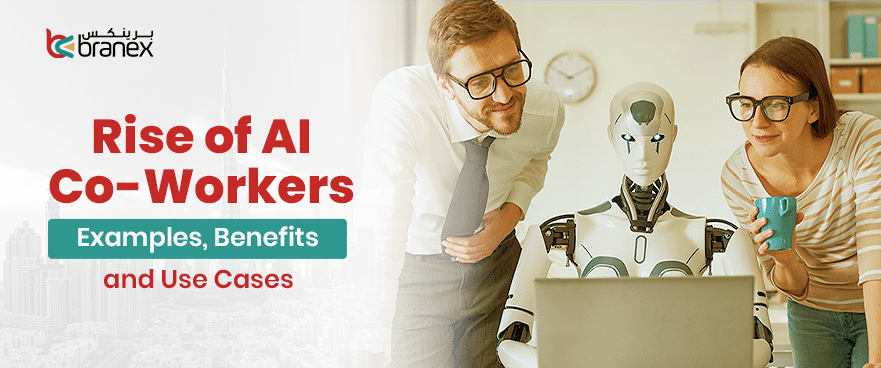
Sarah, a marketing manager at a bustling mid-sized tech firm, stared at her screen as the clock struck 5 p.m. The office was emptying out, but her to-do list seemed to have a life of its own, reproducing faster than she could check items off.
She had just spent the last three hours doing everything but the strategic thinking she was hired for. She manually exported last month’s campaign data, cleaned up duplicate rows in a spreadsheet, drafted a status update for Slack, and scheduled four social media posts. Her brain, the creative engine that was supposed to be devising a new go-to-market strategy, was instead functioning as a glorified administrative relay system.
Sarah wasn’t suffering from a lack of effort or skill. She was suffering from a surfeit of friction. The high-value human work was being buried under an avalanche of low-value digital chores. She went home feeling exhausted, yet unfulfilled, a feeling haunting millions of knowledge workers today.
But while Sarah was fighting her losing battle against the inbox, a quiet revolution was brewing in the background. It wasn’t the rule-based automation of the past that required a computer science degree to operate. It was a new kind of technology. The rise of generative AI and sophisticated large language models. For years, we were told machines would replace the muscle; now, for the first time, they were learning to augment the mind. They could read, write, summarize, and brainstorm. The raw capability was there, but for a while, it remained locked behind chat interfaces, a novelty rather than a utility.
That is, until we stopped treating AI as a separate “chatbot” and started integrating it as an AI Co-Worker.
For Sarah, the transformation began subtly. She didn’t get a warning; she just noticed her software started to anticipate her. The solution wasn’t a robot reporting to her desk, but a digital teammate embedded in her workflow. When she finished a strategy call, her AI Co-Worker automatically drafted a list of action items. When she uploaded a dataset, it offered to visualize the key trends before she even asked. When she sat down to write, it didn’t write for her, but with her, suggesting phrasing, checking tone, and hunting down references. By the time 5 p.m. rolled around the following month, Sarah was just finishing a deep work session on a new campaign concept.
Stories like Sarah aren’t new. Everyday, we hear a new one. Across industries, professionals are quietly reshaping the way they work by embedding AI directly into their daily workflows. Let’s break down what this shift really looks like in practice, exploring the real-world examples, measurable benefits, and high-impact use cases of AI co-workers transforming modern work.
Table of Contents
What Is an AI Co-Worker (And How It’s Different From Automation)?
Following Sarah’s story, you might wonder, wasn’t she already using automation? The answer is yes, but automation and an AI Co-Worker are fundamentally different beasts. To understand the AI Co-Worker, we have to look at the evolution of the software itself.
At its core, an AI Co-Worker is an autonomous, generative-AI-powered agent embedded directly into your workflow. It doesn’t just execute a pre-programmed sequence of tasks; it observes, contextualizes, learns, and creates. It acts less like a hammer and more like a junior team member, one that can brainstorm, draft content, summarize meetings, and write code, all while adapting to your specific work patterns.
To best explain this leap, here’s a look at the major shifts that got us here:
- Traditional Automation vs. Generative AI
- Traditional Automation is a “mechanical horse.” It follows a strict set of rules (If X, do Y). It’s fantastic for repetitive, predictable tasks like moving files between folders or sending an auto-reply. However, it cannot handle ambiguity or create something new.
- Generative AI, which powers AI Co-Workers, is the “engine.” It doesn’t just move data; it generates novel outputs—text, images, strategies, code—based on patterns it has learned. It can write a first draft of an email or suggest a creative campaign angle.
- Rule-Based Tools vs. Adaptive Intelligence
- Rule-Based Tools are rigid. They require a human to anticipate every possible scenario and program the response. If something falls outside those rules, the tool breaks or does nothing.
- Adaptive Intelligence is fluid. An AI Co-Worker can handle the unexpected. If you change the context of a project, it adapts its suggestions. It learns from your feedback, meaning it gets better at helping you specifically over time, rather than just performing a static function.
- Chatbots vs. Embedded AI Assistants
- Chatbots live in a window. You have to go to them, type a query, wait for a response, copy it, and then paste it into your actual work document. They are a destination.
- Embedded AI Assistants live in your tools. They are the “co-worker” you don’t have to summon. They exist within your email, your document, your spreadsheet, or your design software, offering suggestions and completing tasks right where the work is happening.
This brings us to the most important distinction:
- The Shift From “Tool” to “Collaborator”
- A Tool is passive. It sits there until you wield it. A hammer doesn’t tell you how to build a house better; it just hits what you point it at.
- A Collaborator is proactive. An AI Co-Worker can highlight a risk in your project plan, suggest a more compelling way to phrase a paragraph, or summarize the key points of a meeting you missed. It moves from being a simple instrument you control to a proactive partner in the creative and analytical process.
In short, while automation was about programming a machine to do a task for you, the rise of the AI Co-Worker is about integrating an intelligence that works with you.
Real-World Examples of AI Co-Workers
Sarah’s story is just one of millions. Across every department, AI Co-Workers are quietly transforming the daily grind. They aren’t replacing humans; they are handling the execution so the humans can focus on the expertise. Here is how that looks in practice, role by role.
Marketing
- Campaign Reporting Automation: Instead of spending hours exporting CSV files and building pivot tables, marketers can now have an AI agent do the heavy lifting. For example, you can set up a tool like Zapier Agents to automatically pull data from LinkedIn and Facebook Ads into a central table. The agent then analyzes the data—calculating metrics like Cost Per Click—and emails you a weekly report with three key insights and optimization tips, all without you lifting a finger.
- Content Drafting and Optimization: AI Co-Workers like Claude’s “Cowork” feature move beyond simple writing advice to actual execution. A marketer can upload campaign data and raw ideas, and the AI will generate polished presentation decks, complete with trend analysis and actionable recommendations, effectively turning a four-hour task into a 15-minute review session.
- Trend Analysis and Audience Segmentation: An AI Co-Worker can ingest your entire customer database and, in minutes, identify distinct behavioral segments based on engagement and purchase history. Instead of just suggesting “you should segment your audience,” it provides detailed profiles for each segment with specific messaging recommendations, ready to be used in your next campaign.
Sales
- Automated Call Summaries: AI now listens in on sales calls and does the note-taking. Tools can automatically transcribe conversations and, using models like GPT-4o, summarize the key points, extract sentiment, identify objections, and determine the next steps—saving reps hours of manual data entry.
- CRM Updates: The AI Sales Agent doesn’t just summarize; it acts. It can automatically update your CRM (like NocoDB) by scoring leads based on their activity. An interested reply might add +5 points to a lead, moving them from “cold” to “warm,” while an unsubscribe subtracts points, ensuring your CRM is always accurate and prioritized.
- Lead Scoring and Follow-Up Drafting: When a lead replies to an email, an AI Co-Worker can instantly analyze the intent. If it’s a positive response, it can draft a personalized, context-aware reply that matches the prospect’s tone, suggests relevant resources, and even signs off naturally, maintaining a human touch at scale.
HR
- Resume Screening: Recruitment teams can reduce screening time by up to 70% using bots like the AI-Powered Resume Screener from Automation Anywhere. A recruiter uploads a resume and job description, and the bot instantly compares skills, identifies gaps, and generates a “Go/No-Go” screening decision, ensuring fast and consistent evaluation.
- Interview Summaries and Preparation: When it’s time to interview, AI Co-Workers can generate tailored preparation reports. A tool like the Smart Interview Prep Assistant combines a candidate’s resume with the job description to create a structured report including a candidate summary, key highlights, and 8-10 customized interview questions with expected answers, tailored to the specific interview round.
- Policy Drafting and Onboarding Support: While specific policy drafting tools are often custom-built, the same technology used for interview prep can be adapted to help HR managers draft consistent policy documents or generate personalized onboarding checklists and email drafts for new hires, saving up to 40% of the effort on communication.
Product & Engineering
- Code Suggestions and Debugging: AI coding assistants are now standard. However, advanced teams use structured “playbooks,” like the Vibe Coding Playbook, to govern how AI generates code. Developers use structured prompts to generate features, and reviewers use checklists to audit the AI-generated code for security, logic, and maintainability, ensuring high quality.
- Documentation Generation: Engineers can use AI to automatically generate documentation from code. More importantly, for complex systems, advanced prompting techniques can force the AI to perform “controlled validation loops” and “dual-implementation strategies,” which are essentially having the AI double-check its own work to ensure accuracy in critical code.
- User Feedback Analysis: An AI Co-Worker can be fed thousands of support tickets or app store reviews. Using tools like KNIME, it can categorize feedback, identify common pain points, and generate concise summaries of user sentiment, giving product managers a real-time view of what to build next without manually reading every comment.
Customer Support
- AI-Assisted Responses: When a support agent opens a new ticket, an AI Co-Worker like FirstSupport instantly drafts a response. It bases this draft on your knowledge base, past ticket conversations, and even data from platforms like Shopify, ensuring the agent has a head start on every single interaction .
- Ticket Summarization: For complex tickets or when an agent needs to hand off a case to a specialist, AI can provide an instant summary. With a single click, tools can condense long customer-agent conversations into a few sentences, highlighting the customer’s emotion, the main issue, and what has already been tried, allowing for a seamless handoff .
- Knowledge Base Generation: AI can analyze the questions customers are asking and the answers agents are giving to automatically identify gaps in your help center. It can then generate new knowledge base articles or suggest updates to existing ones, proactively reducing ticket volume by solving problems before a customer needs to ask.
Key Benefits of AI Co-Workers
The real-world examples above paint a vivid picture, but what is the actual return on investment for the organizations and individuals who embrace these digital teammates?
The benefits extend far beyond simple speed; they touch on the very quality of our work and our experience of doing it.
1. Time Reclaimed for Deep Work
Less admin, more strategy.
This is the most immediate and visceral benefit. When an AI Co-Worker handles the draining, repetitive tasks—cleaning data, drafting status updates, summarizing meetings—it gives back hours of the day. For Sarah, the marketing manager, this meant the difference between leaving at 5 p.m. feeling like a clerk, and leaving feeling like a strategist. It’s the difference between being busy and being productive, allowing knowledge workers to finally focus on the complex, creative, and high-impact problems that only humans can solve.
2. Reduced Cognitive Load
Fewer context switches. Less decision fatigue.
Modern knowledge work is a battle against constant interruptions. Every time we switch from writing a document to checking email to updating a spreadsheet, we lose focus and burn mental energy. An AI Co-Worker acts as a shock absorber. By taking over the small tasks and offering suggestions within your workflow, it minimizes the need to switch contexts. It also reduces decision fatigue by drafting options for you, so you can spend your mental energy on choosing and refining, rather than starting from a blank page.
3. Faster Decision-Making
Instant data synthesis and insights.
In the time it takes a human to compile a single report, an AI Co-Worker can analyze the same data from ten different angles. Whether it’s a product manager analyzing user feedback from thousands of tickets or a sales rep getting an instant summary of a prospect’s intent, the speed of insight accelerates dramatically. This means organizations can react to market changes, customer needs, and emerging trends in real-time, rather than waiting days or weeks for someone to process the information.
4. Increased Output Without Burnout
More done, less drained.
Historically, increasing output meant working longer hours or adding headcount. AI Co-Workers break that equation. They act as a force multiplier, allowing a team of five to produce the work of ten, not by grinding them into the ground, but by removing the friction that slows them down. The work gets done faster, but because the draining administrative overhead is gone, employees finish their days with more energy left for their lives outside of work.
5. Continuous Learning
AI systems that improve from patterns and feedback.
Unlike a static tool or a piece of software that stays the same until the next update, an AI Co-Worker learns. The more you use it, the better it gets at understanding your preferences, your company’s tone of voice, and your unique workflow. It doesn’t just execute a fixed task; it adapts. This creates a compounding return on investment—the AI becomes more valuable to you and your organization over time, constantly refining its suggestions and becoming a more effective partner.
High-Impact Use Cases by Function
Knowing what an AI Co-Worker is matters, but understanding how it changes your daily workflow is where the real value emerges.
Here are the most impactful ways these digital teammates are showing up across functions.
Meeting Intelligence
Meetings are necessary, but note-taking is not. AI Co-Workers now attend every call silently, acting as the world’s most diligent secretary. They transcribe conversations in real time, generate concise summaries, and—most importantly—extract clear action items with owners. Instead of spending the first 15 minutes of the next meeting trying to remember who agreed to do what, teams can simply review the AI-generated recap. The AI doesn’t just capture what was said; it captures what needs to happen next, then follows up to ensure it actually happens.
Data Analysis on Demand
Gone are the days of waiting for the data team to run a query or spending hours wrestling with pivot tables. With an AI Co-Worker, anyone can ask questions of their data in plain English. A product manager can ask, “What were the top three user complaints last month?” and get an answer in seconds, complete with trends and visualizations. A marketing manager can query, “Which campaign drove the highest-quality leads last quarter?” and receive a breakdown with recommendations. The AI doesn’t just retrieve data; it synthesizes it, turning raw numbers into actionable intelligence on the fly.
Writing and Editing Assistance
Writer’s block becomes a relic when you have an AI Co-Worker. Whether it’s drafting an email, polishing a proposal, or refining a blog post, the AI acts as an ever-present editor. It suggests clearer phrasing, adjusts tone for different audiences, and checks for consistency across longer documents. More importantly, it handles the heavy lifting of the first draft, allowing the human to focus on voice, nuance, and strategic messaging. The result is higher-quality writing in a fraction of the time, with the AI handling the mechanics while the human brings the soul.
Research Acceleration
Any task that requires digesting large volumes of information—competitor analysis, industry reports, technical documentation, market research—is where AI Co-Workers deliver exponential time savings. They can ingest dozens of documents, PDFs, and web pages simultaneously, then answer specific questions, summarize key findings, compare viewpoints across sources, and even identify gaps in the research. What used to take a full day of reading and note-taking now takes a few minutes of asking the right questions, with the AI serving as a personalized research assistant who never skims or misses details.
Workflow Orchestration Across Tools
Most knowledge workers juggle a dozen different tools: email, Slack, CRM, project management software, calendars, and more. AI Co-Workers now act as the connective tissue between them. When a sales rep closes a deal in one system, the AI can automatically trigger a handoff to the customer success team in another. When a support ticket is escalated, the AI can pull relevant data from the knowledge base, the product database, and past customer interactions simultaneously. This orchestration happens silently in the background, eliminating manual handoffs, reducing errors, and ensuring nothing falls through the cracks.
Internal Knowledge Retrieval
Every organization has a graveyard of institutional knowledge buried in shared drives, old emails, Slack histories, and forgotten wikis. AI Co-Workers can be trained on this corpus, effectively creating a searchable brain for the entire company. Instead of interrupting a colleague or digging through folders for an hour, employees can simply ask the AI: “What was our pricing strategy for the 2023 enterprise launch?” “Do we have a template for QBR presentations?” “Who worked on the Acme account before we signed them?” The answer appears instantly, complete with context and links to source documents, unlocking the full value of the company’s collective knowledge and making onboarding new hires exponentially faster.
Conclusion
The story of Sarah staring at her screen as the clock struck 5 p.m., exhausted yet unfulfilled? She represents millions of knowledge workers trapped in the gap between their potential and their daily reality.
But Sarah’s story didn’t end there.
She still works hard. She still earns her keep. But now her energy flows toward strategy, creativity, and human connection, the very things she was hired to do in the first place.
Months after her AI Co-Worker became part of her team, something shifted. Not just in her output, but in her experience of work itself.
The 5 p.m. exhaustion was replaced by something she hadn’t felt in years: the quiet satisfaction of a day spent solving meaningful problems rather than chasing administrative tails.
This is the promise of the AI Co-Worker. Not a future where humans are replaced, but one where they are finally freed. Freed from the friction that has long been accepted as an unavoidable cost of doing business. Freed from the cognitive drain of context switching and repetitive tasks. Freed to focus on the complex, creative, and deeply human work that machines cannot replicate.
For Sarah, the choice was easy. She stopped fighting the inbox and started partnering with the machine.
What will be yours?
Are you ready to embed intelligent AI co-workers into your workflows and unlock productivity gains? Branex can help you design, develop, and deploy solutions tailored to your business requirements.
Let’s build a smarter way to work together.