
- Who we are
Who we are

Over 100 industry awards, accolades, and achievements showcase our quality and commitment to client success.

- Services
Services
Technologies

- On Demand App Solutions
Who we are
Trusted by 500+ active clients.

- Contact Us

 +971 52 905 2719
 info@branex.ae

Snapchat Tricks, Hacks and Secrets That Will Completely Change the Way you Use It

When was the last time you took out your phone, clicked an amazing image of your beautiful face with your teeth popping out and pushed it online on social media? One second ago? Yes, Snapchat is one such mobile app that allows you to shine out in your life’s little stories and share your every-day moments with your entire friend circle. But, what if you want to go ahead and shoulder above. What if you want to give yourself a curvy animated smile or add layers of filters to your image or just maybe change the colors on different letters in your published content!
Here are some interesting tricks, hacks, and secrets that will help you get along with Snapchat like never before.
Interesting Snapchat Tricks & Hacks to Make your Pictures More Attractive
Remove Extra Elements from Your Images with Magic Eraser
So, you clicked this image that just might turn into a “Picture of the Era”, but suddenly you notice that awful smudge in the background that makes your smile do a back-flip! If only there was some way you could get rid of it without wreaking havoc on your shot. This Snapchat hack will allow you to remove this blotch from the perfect shot using the Magic Eraser.

Here’s how to access it.
- Click an Image
- Tap on the Scissor’s Icon
- Tap on the Multi-Star Button
- Trace the outline of the smudge you want to eradicate, and it will go away without a trace.
Although, the tool isn’t perfect, but it really gets the job done on images with a simple background.
Related Read: How To Use Snapchat? Beginner’s Guide To Becoming A Snapchat Expert
Jazz Up Your Images with This Emoji Snapchat Trick
Just clicked an interesting picture of yourself and are eager to add some sparkly emoji effects to it? It’s time to jazz up your image with all the emojis you want… You can draw a trail of emojis around your images in any way you like!
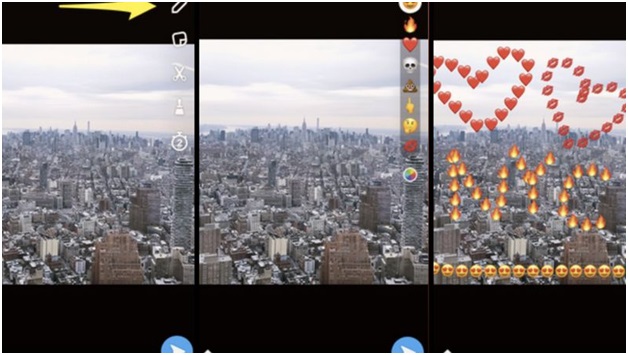
Here’s how you can do it.
- Capture a Snap
- Tap the pencil icon to draw
- Underneath the color selector is an emoji that you can tap for the full range of options.
- Select an emoji and draw away!
Add an Artistic Flair to Photographs in Memories
Did you recently visit Egypt, Italy or Spain? Had a blast standing in front of the Sagrada Familia or Casa Mila? But simply touching that picturesque shot up with a vintage effect before sending to your friends is just not enough. Maybe, because you are a bit funky and want to add a distinctive touch to the image.
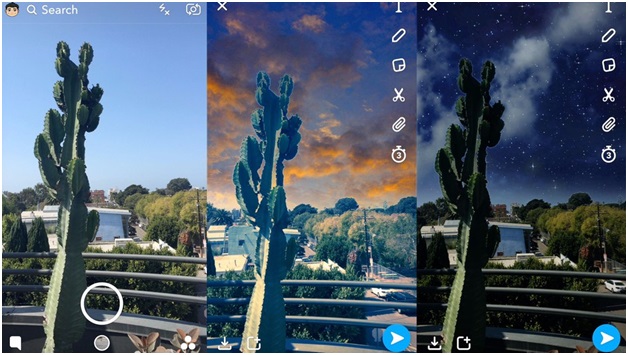
Here’s how to add an artistic flair to your image.
- Swipe up from the camera screen to go to Memories
- Press and hold on a Snap to display options
- Tap Edit Snap
- Tap the paintbrush icon to access artistic filters
- Choose a filter
- Save or send your Snap as usual
Change the Color of Each Font
Visual content does say it all, but if you are someone for whom an image without a bit of description preceding it, remains incomplete, then this feature does the trick for you. What’s more? You can add a multi-color variant to your fonts before publishing your next image.
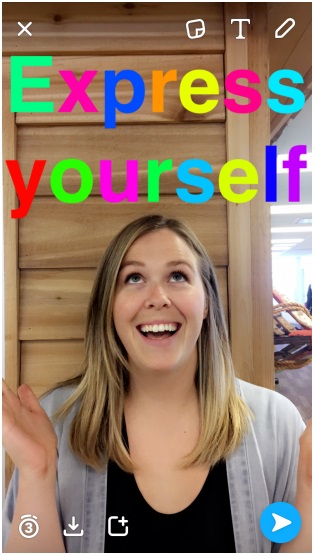
Here’s how to do it.
- Type your caption and tap the T icon to get the largest size text
- Select one color you want to use from the color palette to start with
- Then tap any word in your text and click the select option to highlight the word
- Move the highlight over any word or letter you want to change the color of
- Choose the next color from the color palette
Use a Tint Brush to Change Colors on Images
Have a bit of an artistic knack in you, don’t like the color of petals of a flower you recently clicked? Don’t worry, use the Tint Brush option on your Snapchat and change the colors on a recently clicked image just like a design professional.
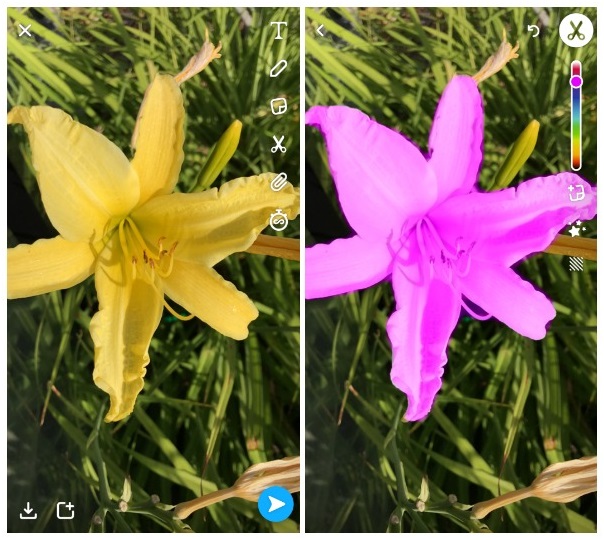
- Capture a Snap
- Tap the scissors icon then the paintbrush icon
- Choose your desired color
- Outline the object you’d like to recolor
- As soon as you lift your finger, the object should change color
Eager to Learn Some More; Check out these Awesome Snapchat Secrets
There are several hidden features that Snapchat offers and a few of them we have discussed earlier. But, that’s not all that Snapchat has to offer to you as a customer! Are you eager to learn about some more of its interesting secrets? Let’s learn a few of them on the go.
Cracking the 10 Second Messaging Myth
Normally, when we are using Snapchat, messages disappear into thin airwithin10 seconds of being viewed. However, you can change that in your Snapchat application by simply turning on the “Infinity Mode.” Your messages will now stay a while instead of vanishing and will only do so when your recipient leaves the conversation.
Get a Three-way Face Swap
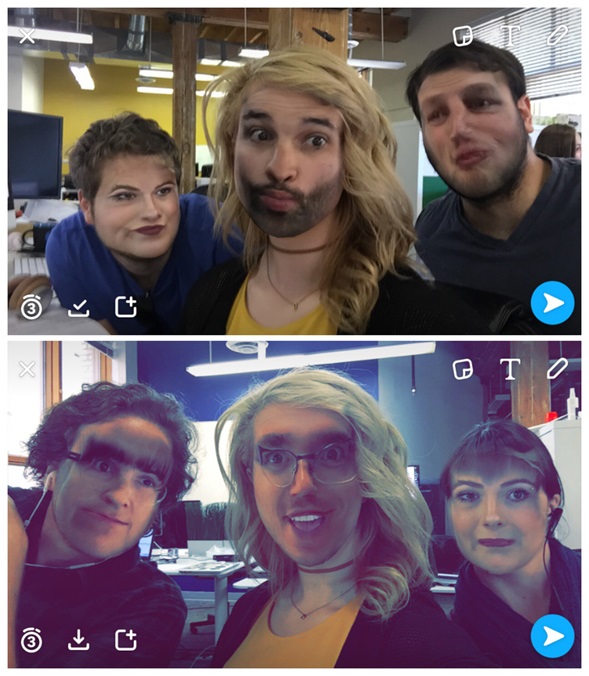
With the official launch of the face swap feature on Snapchat, everyone went super crazy about using it with all their pals, posters, dolls, etc. But here’s an interesting twist to those who love the face swap feature on Snapchat, you can go three-way face swap instead of just two. All you have to do is turn your phone sideways horizontally and apply the face swap.
Related Read: 19 Super Easy Halloween Costume Ideas for Entrepreneurs in 2018
You Can Stick Emojis Strategically Now
Imagine yourself as a movie director while Snapchat is your cameraman/editor/special effects guy and just about everything else. Don’t you just wish that your Snap Stories are as interesting as possible without a big multimillion-dollar budget? Well, you can strategically place an emoji on your Snap and send it away.
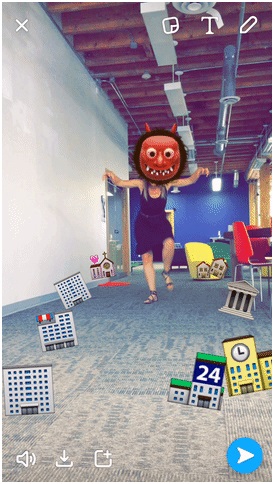
Do you see how she has placed buildings all around the floor? when she is going to walk into the screen, the buildings automatically scatter. Doesn’t it sound interesting?
But’s that’s not all that you can with Snapchat. Actually, you can do a whole lot more. You can create your own doodles, apply funny filters, add layers of colors, design geo-filters, etc. and make your Snapchat journey an interesting one.
Are you searching for someone who can offer a state-of-the-art social media marketing services in Dubai? We offer outstanding SMM services at a reasonable price rate and deliver the best in experience.